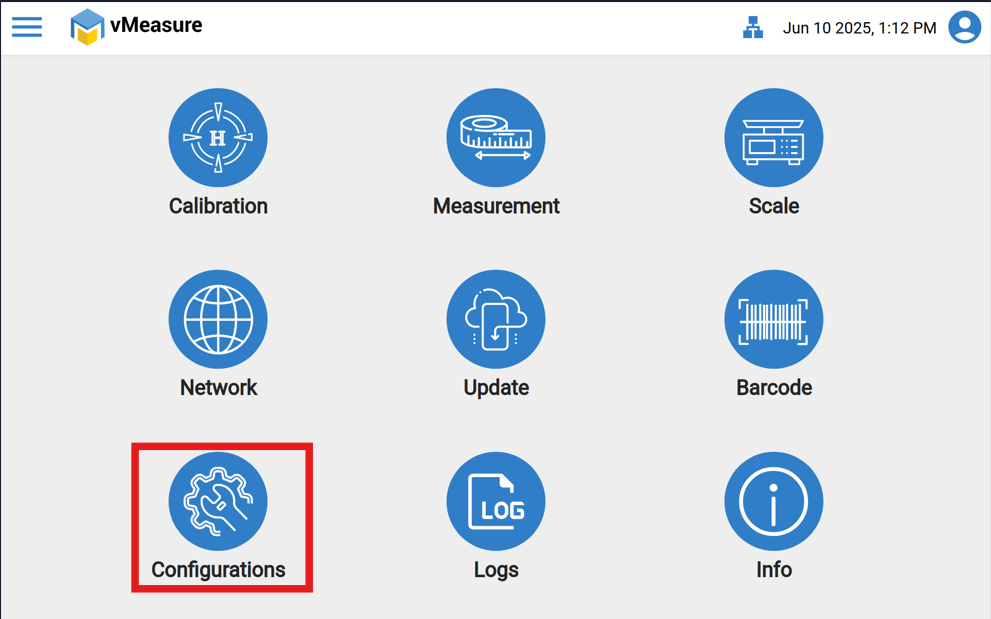
1. After login, click the 'Configuration' icon.
2. In the 'Configuration' page, select "Metrological Settings".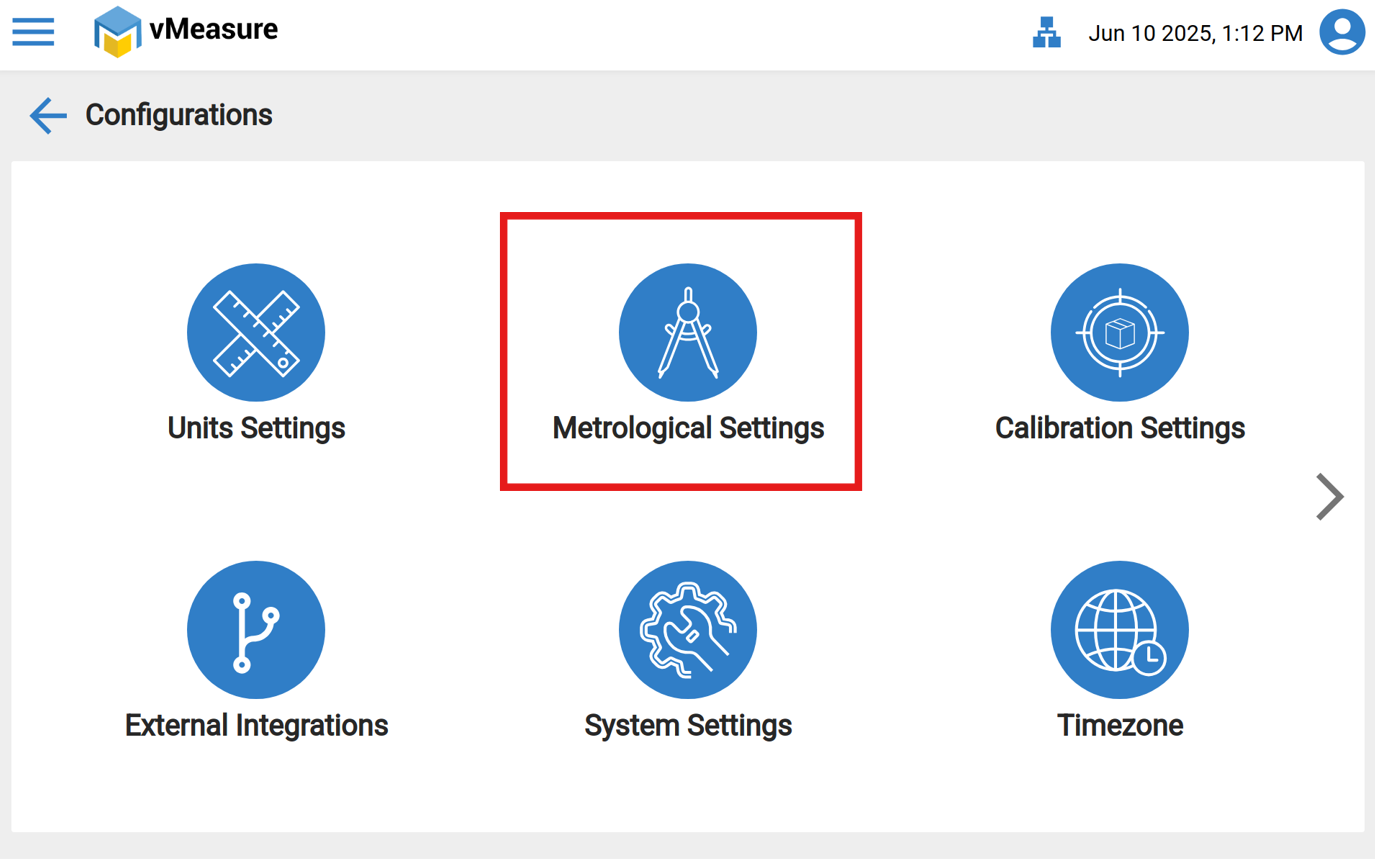
3. Now enable the switch labeled as "Allow Near Out of Spec" and Save the settings.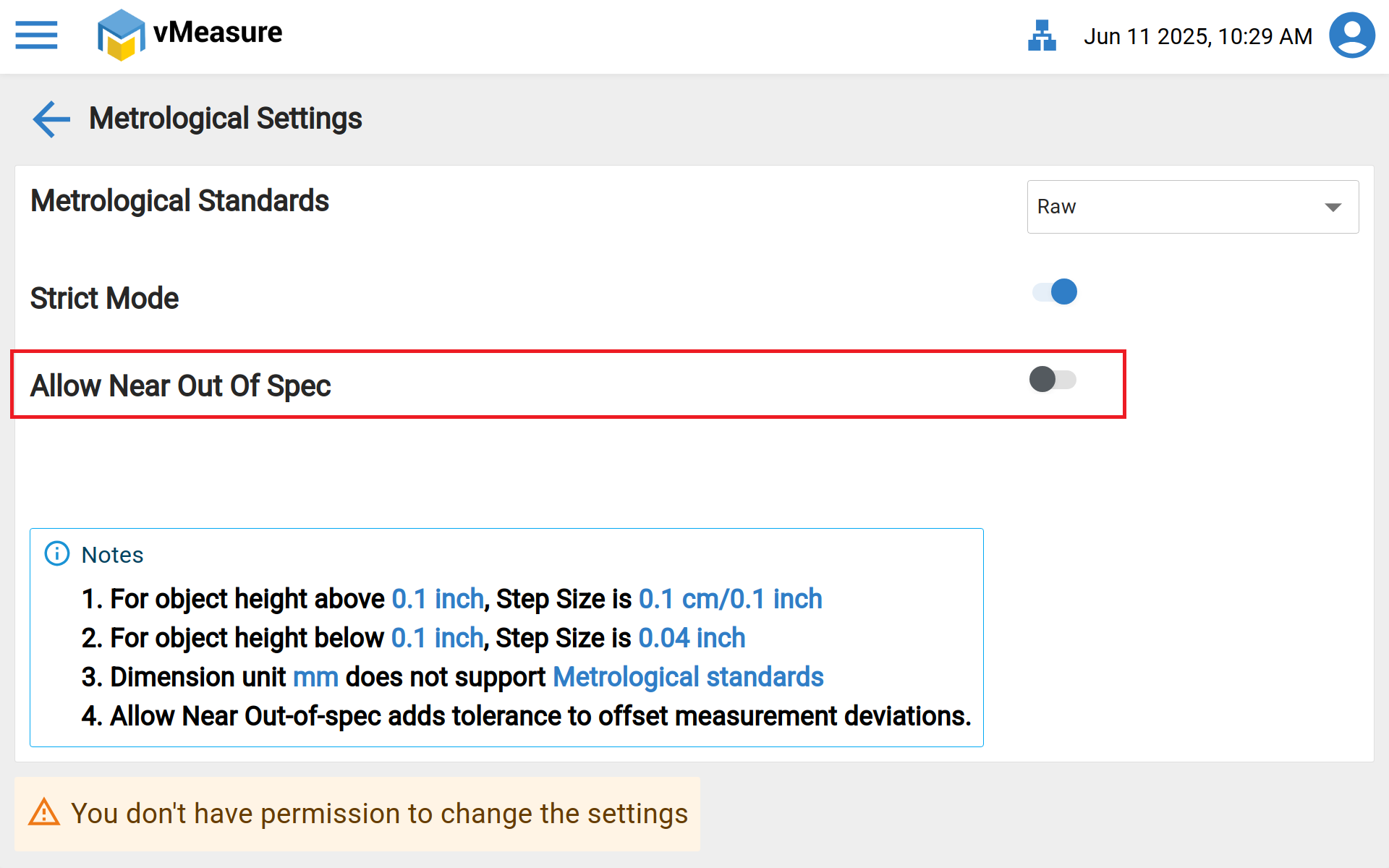
Was this article helpful?
That’s Great!
Thank you for your feedback
Sorry! We couldn't be helpful
Thank you for your feedback
Feedback sent
We appreciate your effort and will try to fix the article