On Device:
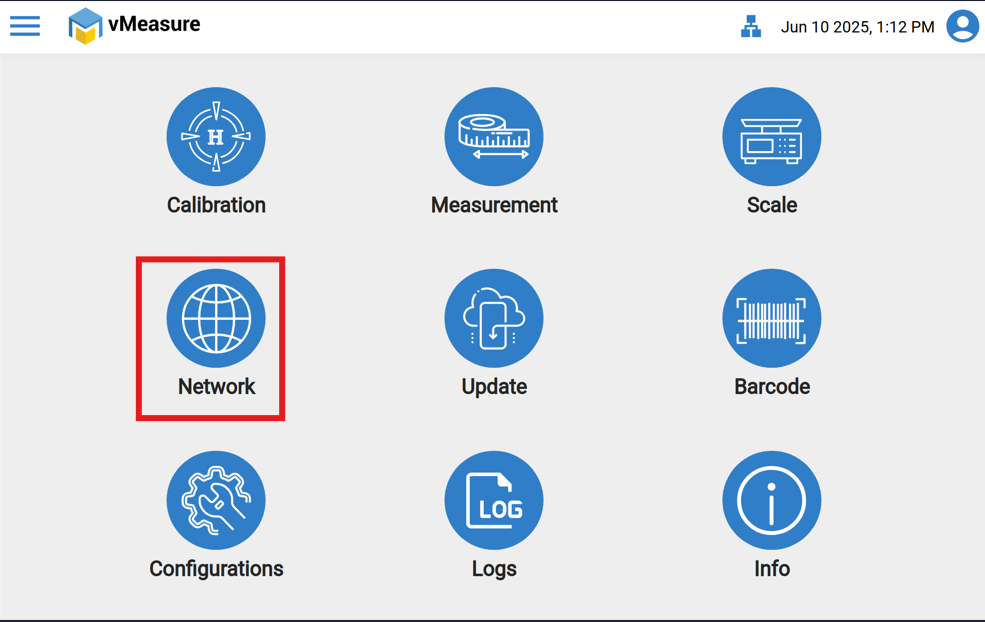
Step 1: Click the "Network " icon.
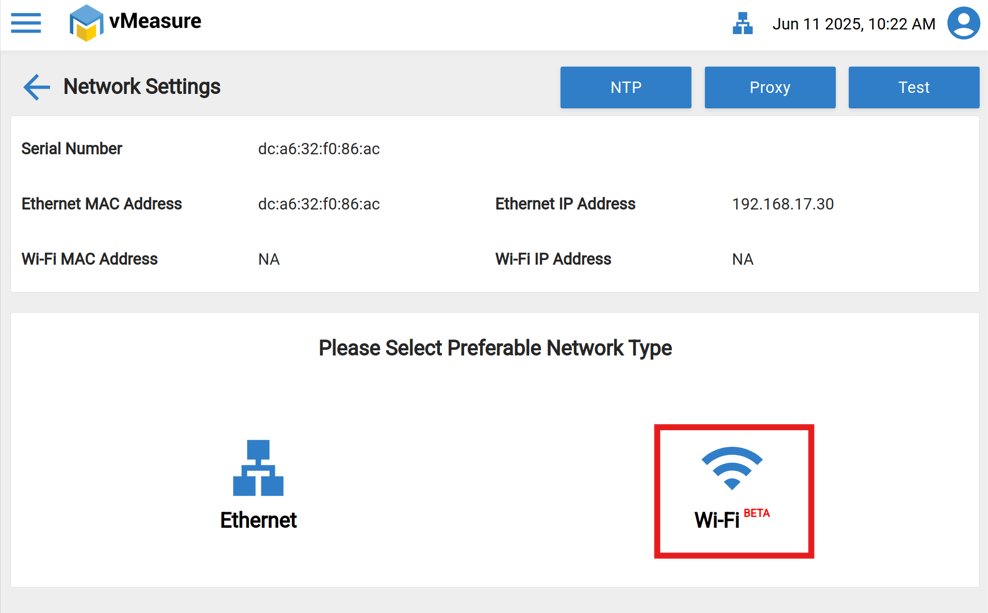
Step 2: "Wi-Fi", make sure the Wi-Fi adaptor is connected to the vMeasure device.
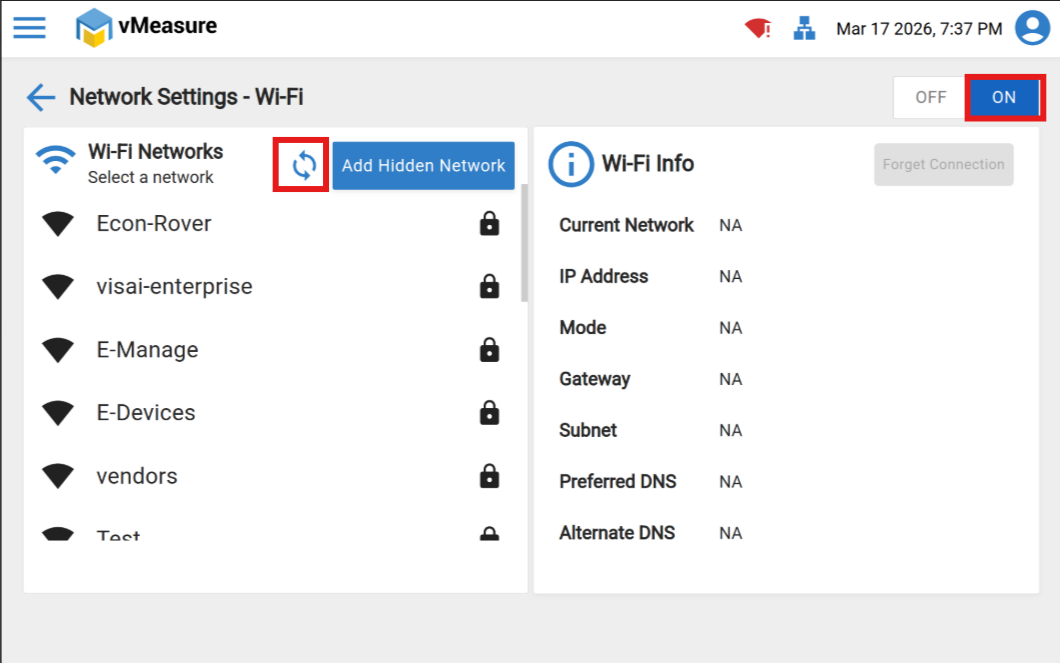
Step 3: Turn on the Wi-Fi using the toggle button and select the wifi.
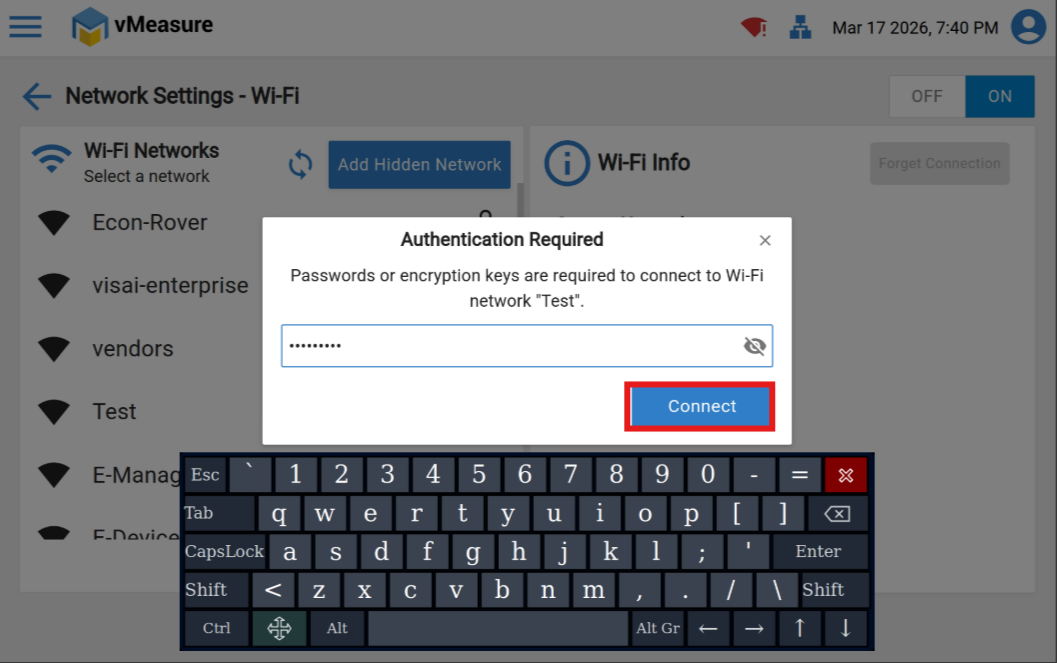
Step 4: Click on Refresh Icon & select the Network from the list & enter the password and click on "Connect".
Step 5: Now Wi-Fi will be connected & you can find the Wi-Fi IP address.
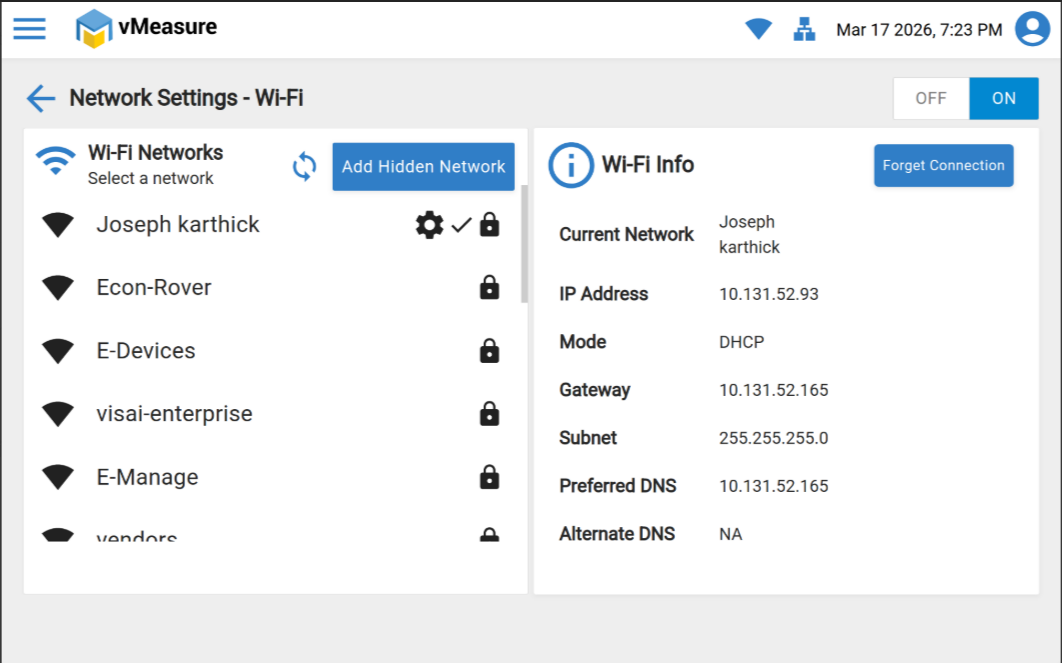
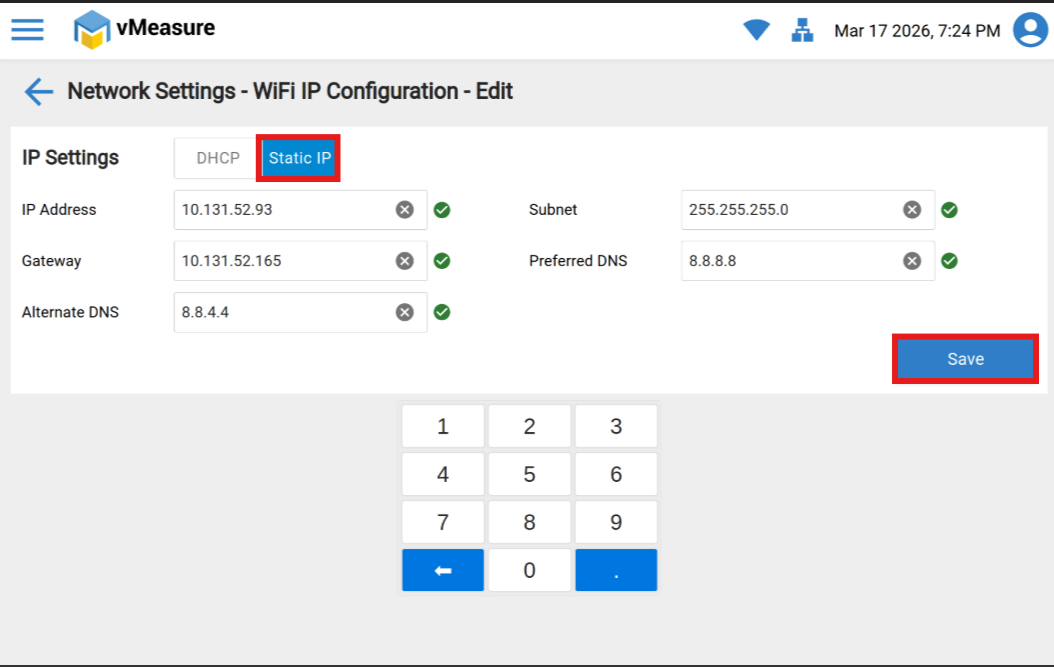
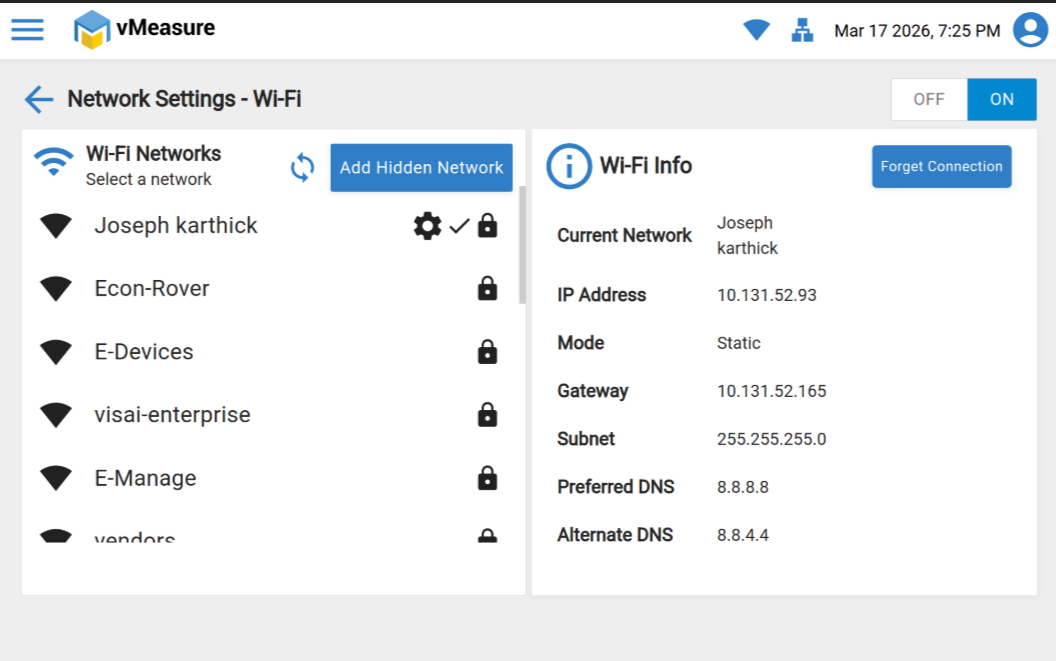
Step 6: Click the settings Icon and shift to Static IP and fill all the details then Save it.
Was this article helpful?
That’s Great!
Thank you for your feedback
Sorry! We couldn't be helpful
Thank you for your feedback
Feedback sent
We appreciate your effort and will try to fix the article