Micro - HDMI to VHU Assembly User Manual
Step 1 Ensure the Micro-HDMI Cable and VHU with HDMI stopper in the Packing Box.
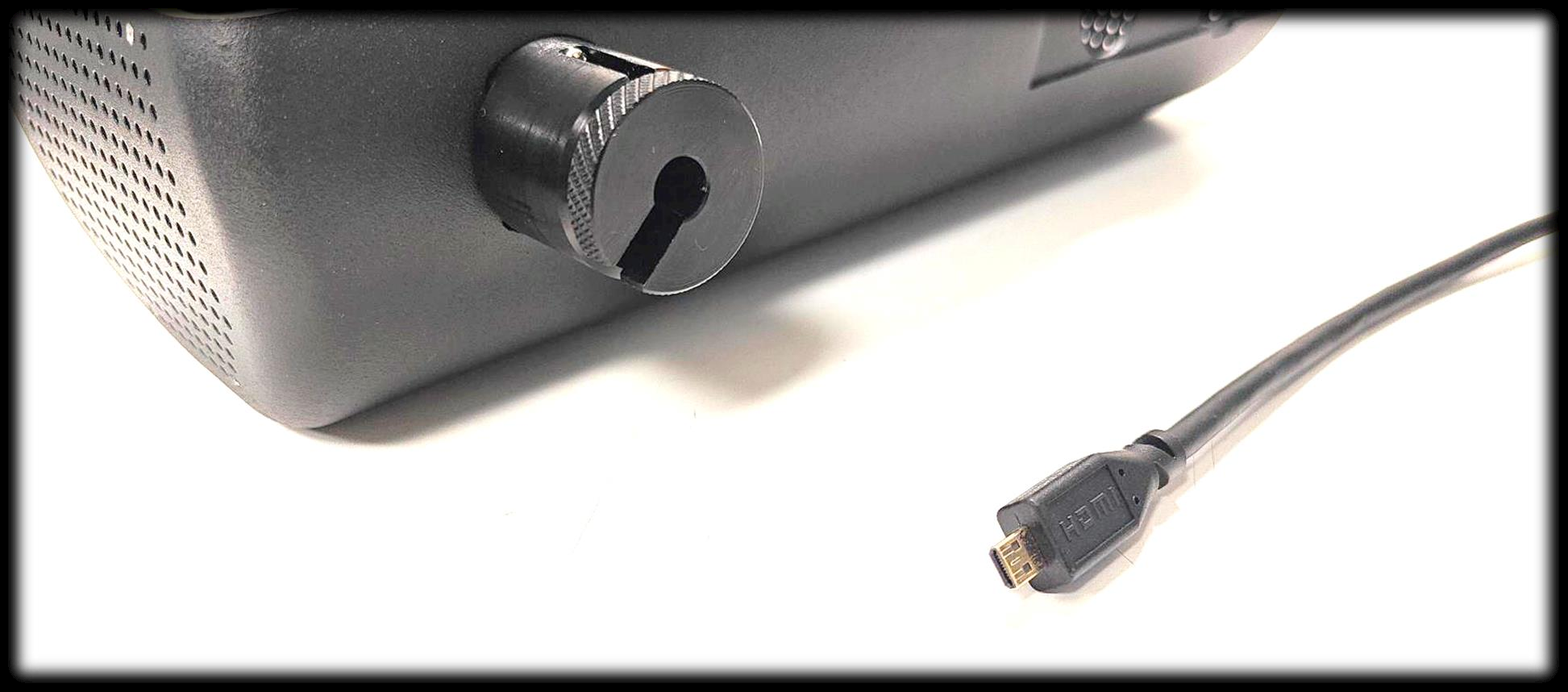
Step 2 Remove the threading part for the Micro HDMI Cable Stopper from the VHU.
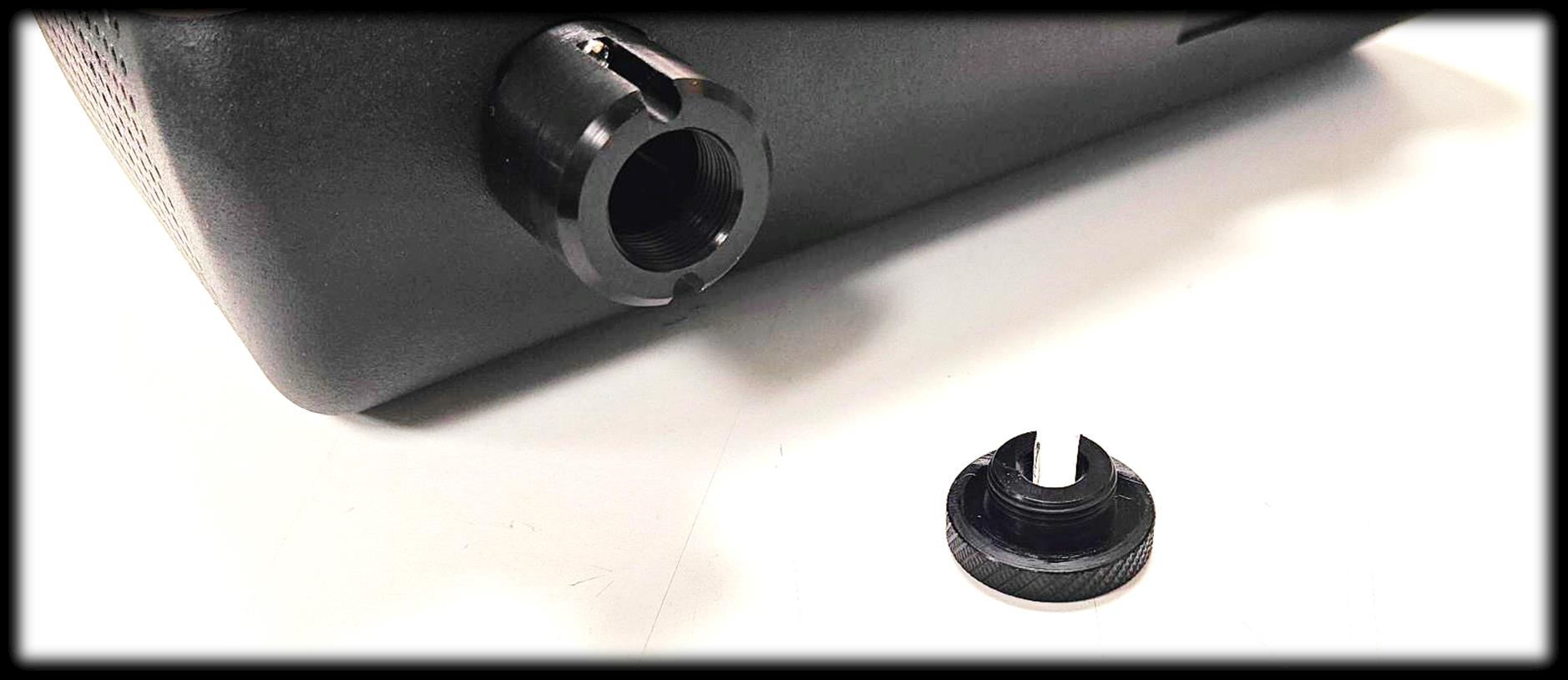
Step 3 Refer to below image to determine the orientation of the Micro HDMI Cable port.
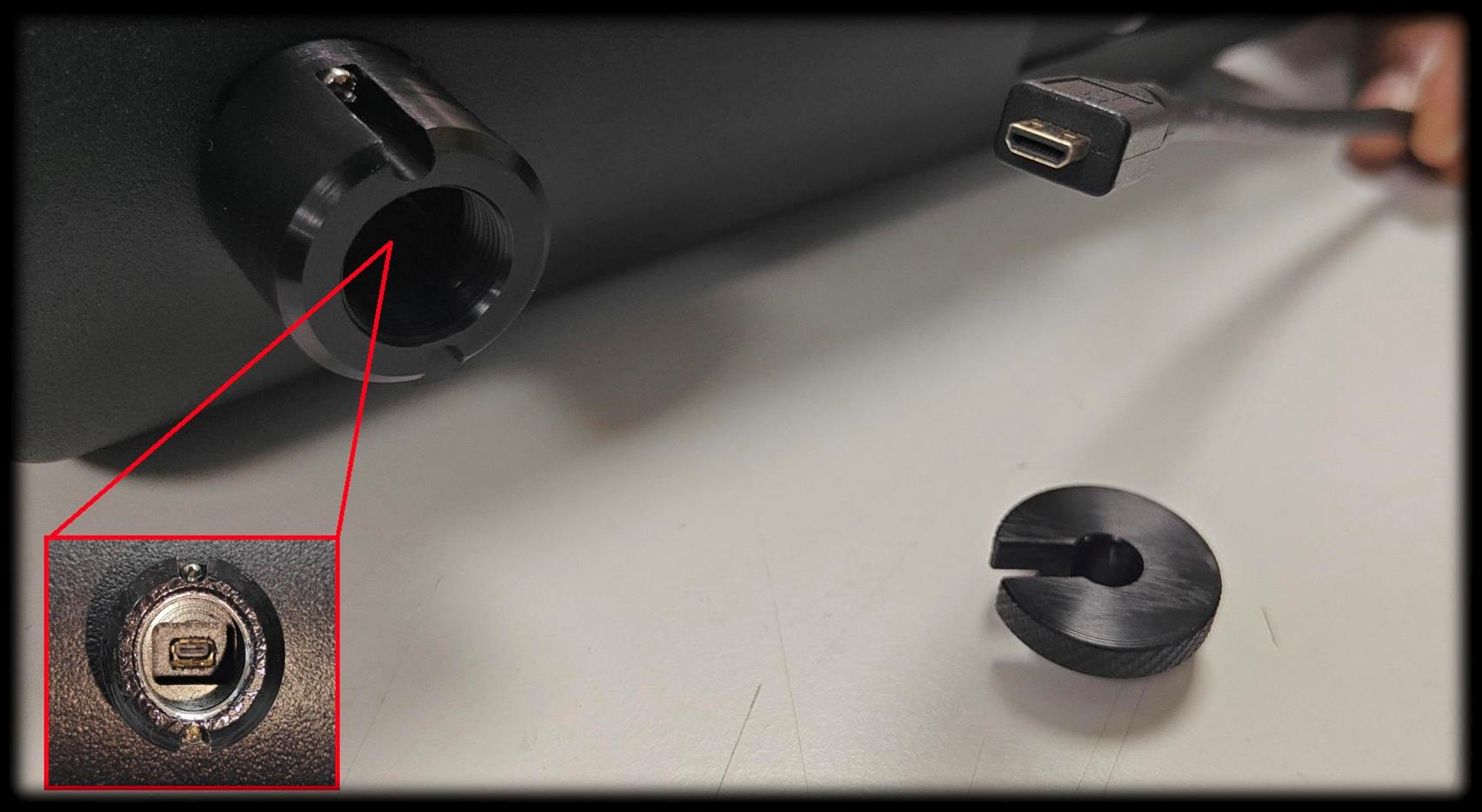
Step 4 Insert the micro-HDMI cable into the HDMI cable stopper.
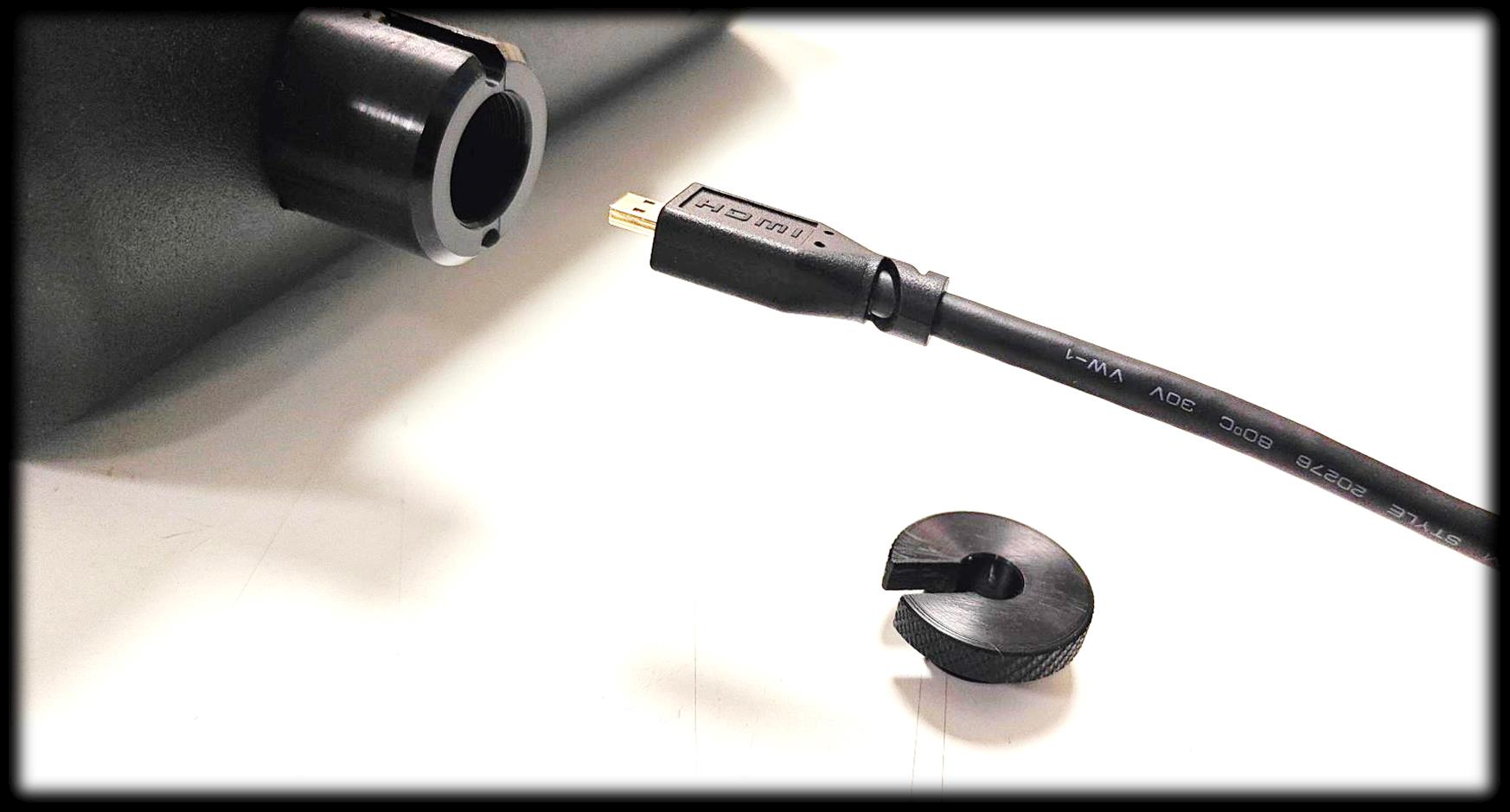
Step 5 Insert the threaded HDMI stopper mating part into the cable using the U-Cut position shown in below image.
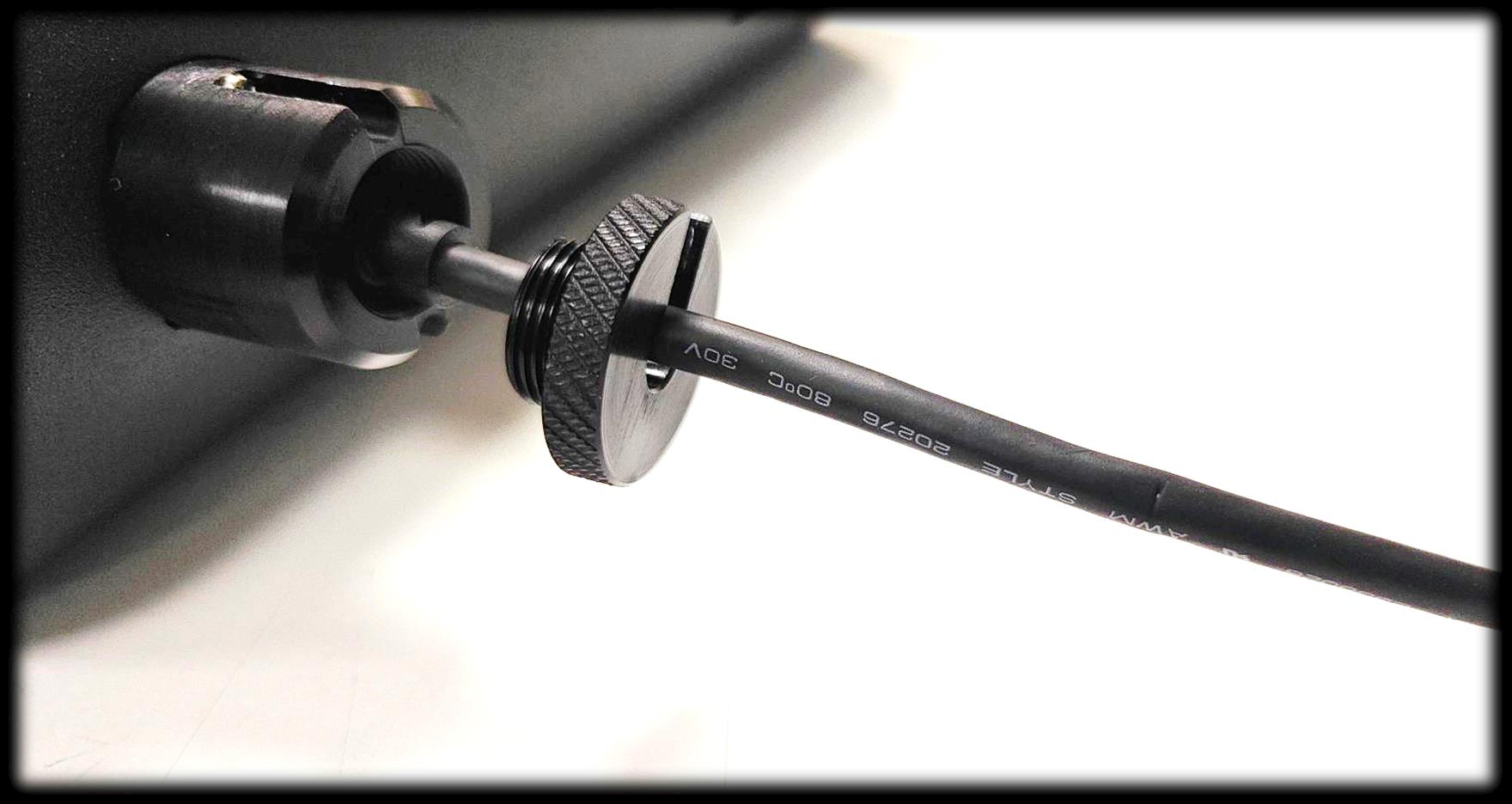
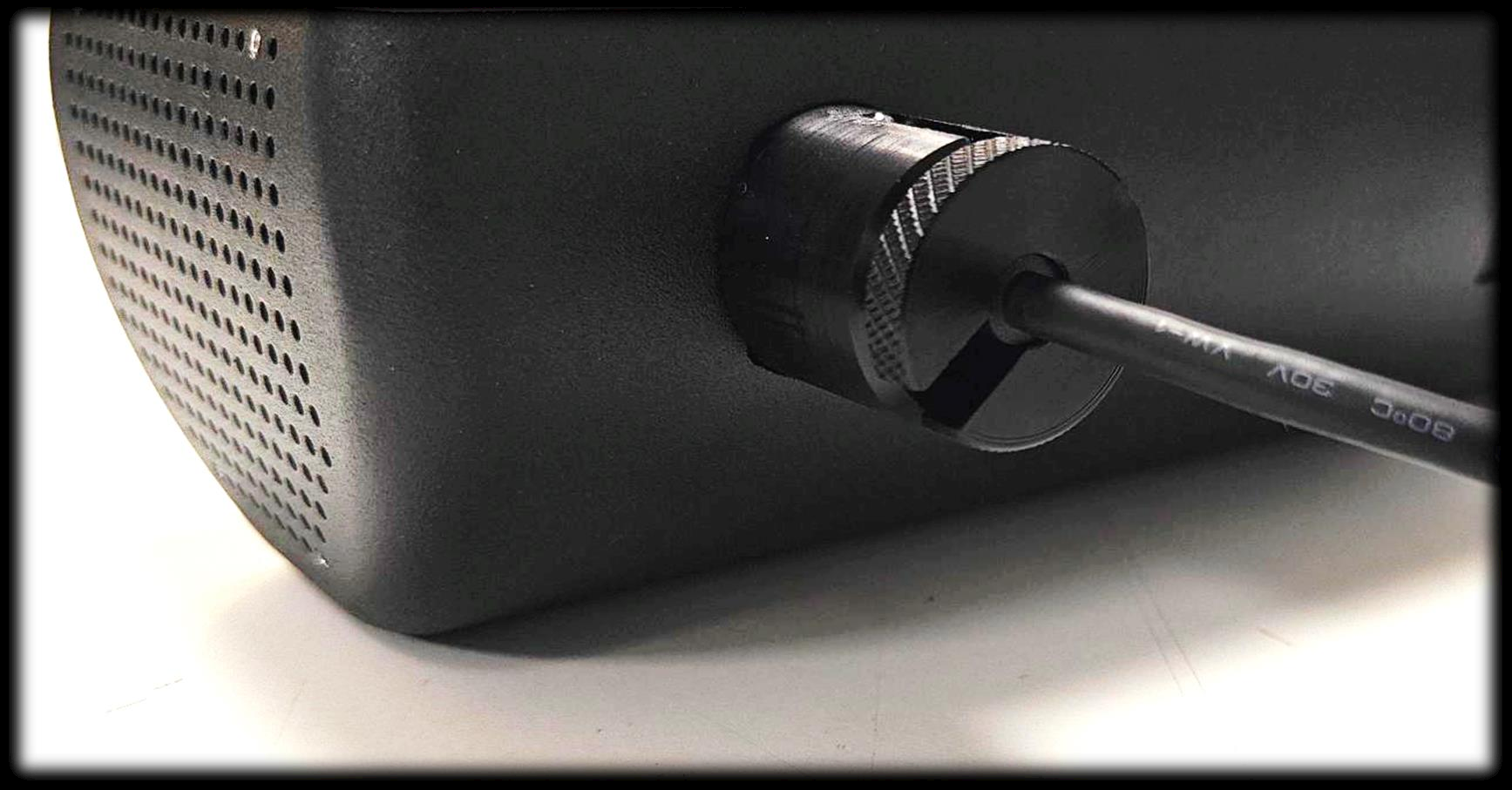
Step 6 Screw the mating part with your hand, making sure there is no gap between the Stopper and the mating part.
Was this article helpful?
That’s Great!
Thank you for your feedback
Sorry! We couldn't be helpful
Thank you for your feedback
Feedback sent
We appreciate your effort and will try to fix the article