Step 1: Turn "OFF" the device by disconnecting the Power cable from the socket.
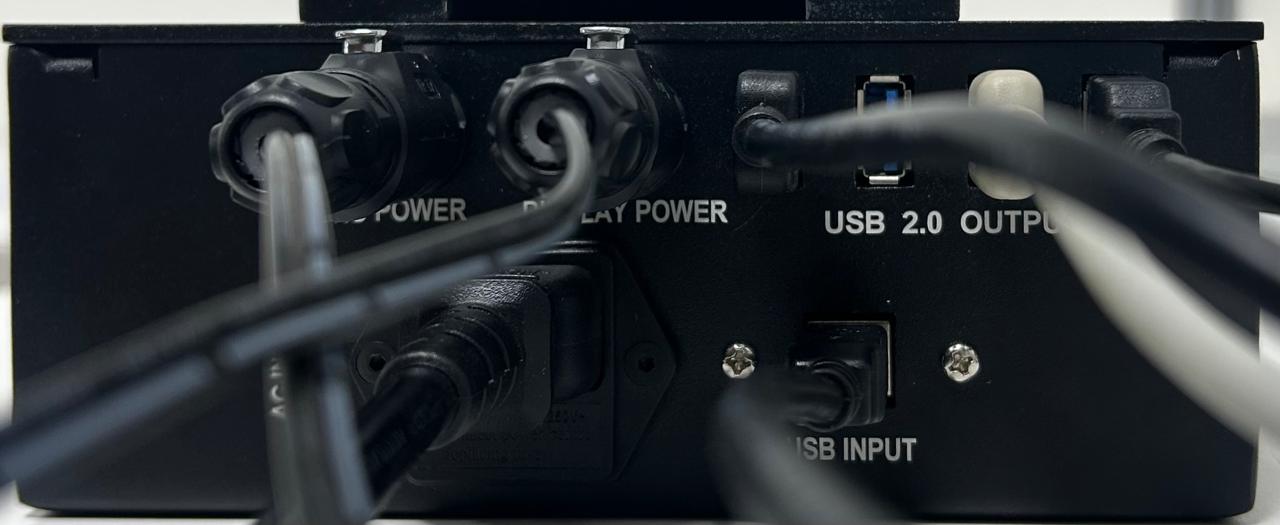
Step 2: Remove the AC Input cable, USB cable, VHU cable, and Display power cable from the Power Unit.
Note: Click on the pin to Remove the VHU and Display Power Cables.
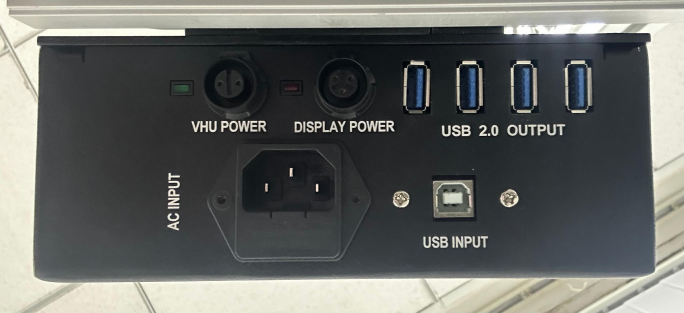
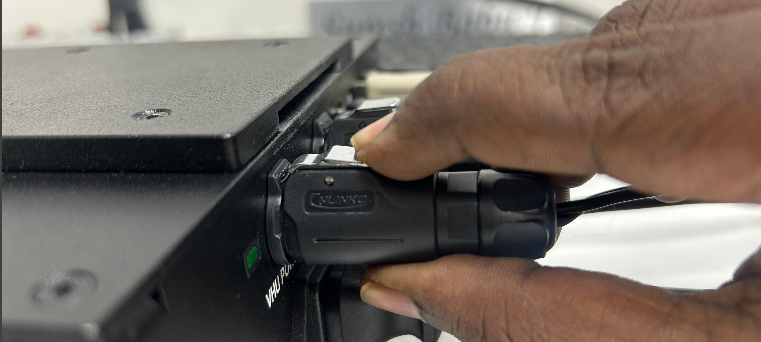
Step 3: Remove the power unit by sliding it up
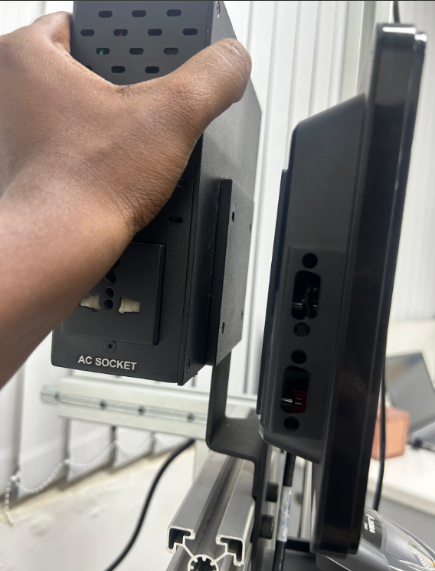
Step 4: Carefully Slide IN the New Power Unit and Reconnect the Cables again.
Note: Make sure the Cables are connected firmly and ZIP TIE the cables to avoid loosening in the future:
Step 5: Now Turn ON the Device.
If you need any support, please drop a mail to vmeasure@visailabs.com or click here to Submit a Ticket.
Was this article helpful?
That’s Great!
Thank you for your feedback
Sorry! We couldn't be helpful
Thank you for your feedback
Feedback sent
We appreciate your effort and will try to fix the article