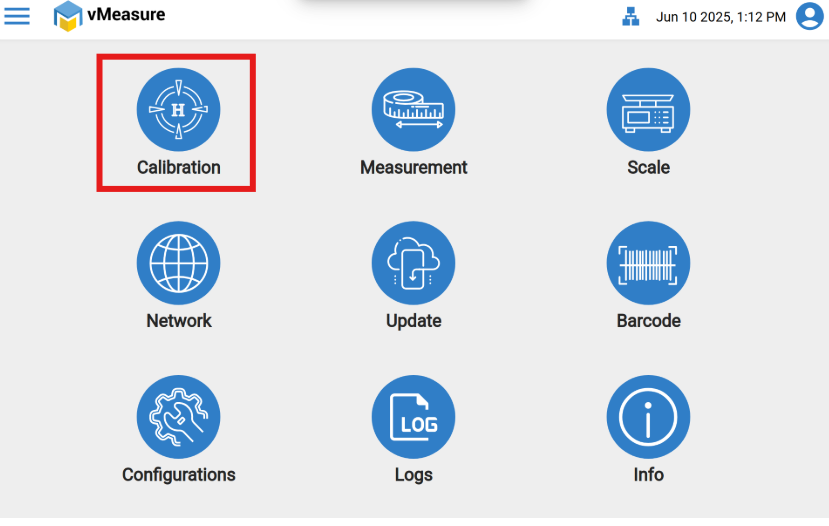
- Once logged into the device and on the settings page, go select the "Calibration" icon.
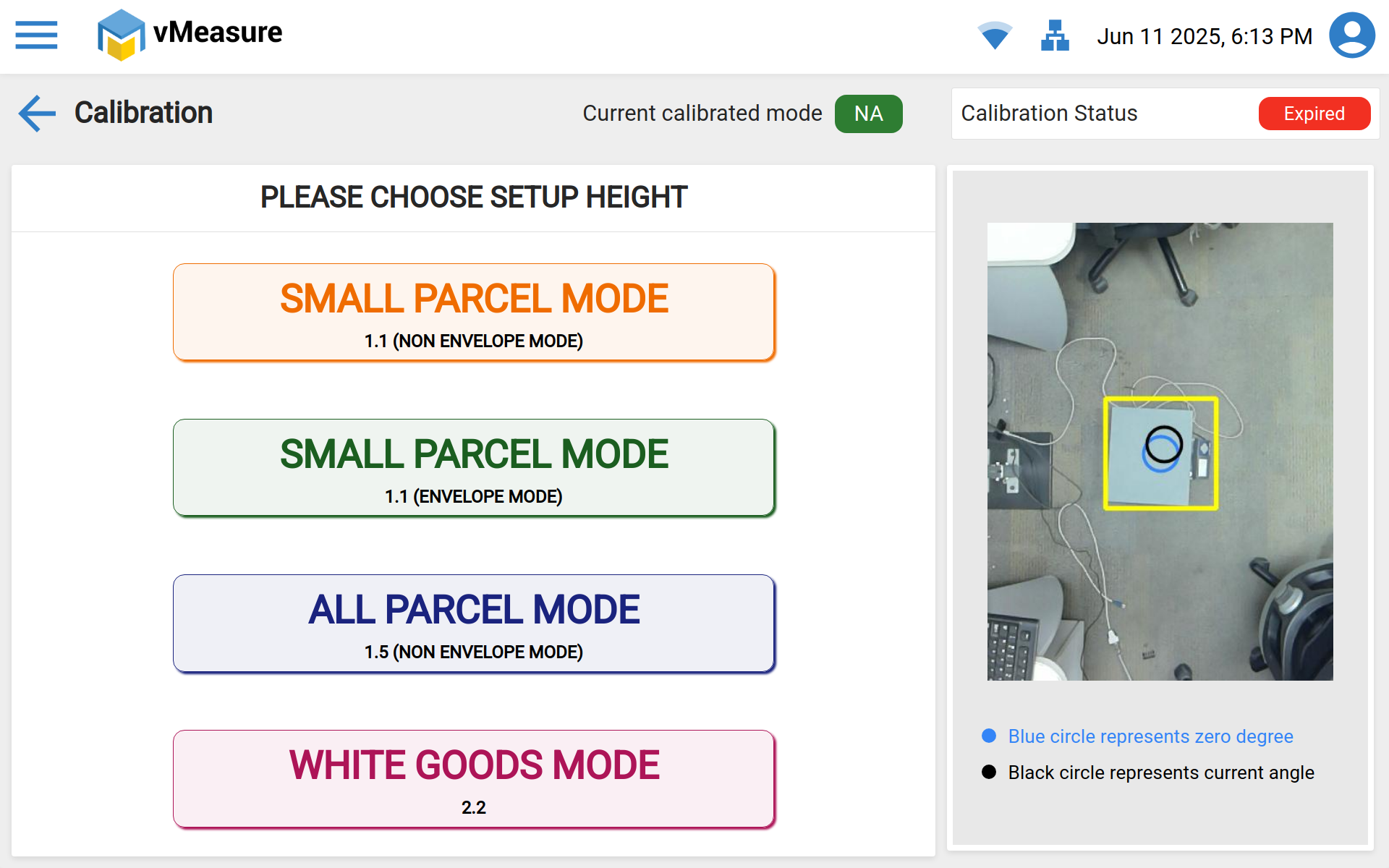
- Once on the "Calibration" page, select the appropriate setup, once its done the device will automatically take you to the measurement page.
 NOTE: Please make sure to follow the proper Do's and Dont's during the calibration procedure.
If you need any support , please drop a mail to vmeasure@visailabs.com or Click here to Submit a Ticket.
Was this article helpful?
That’s Great!
Thank you for your feedback
Sorry! We couldn't be helpful
Thank you for your feedback
Feedback sent
We appreciate your effort and will try to fix the article