Follow the steps below to view the Chrome Extension Shortcuts:
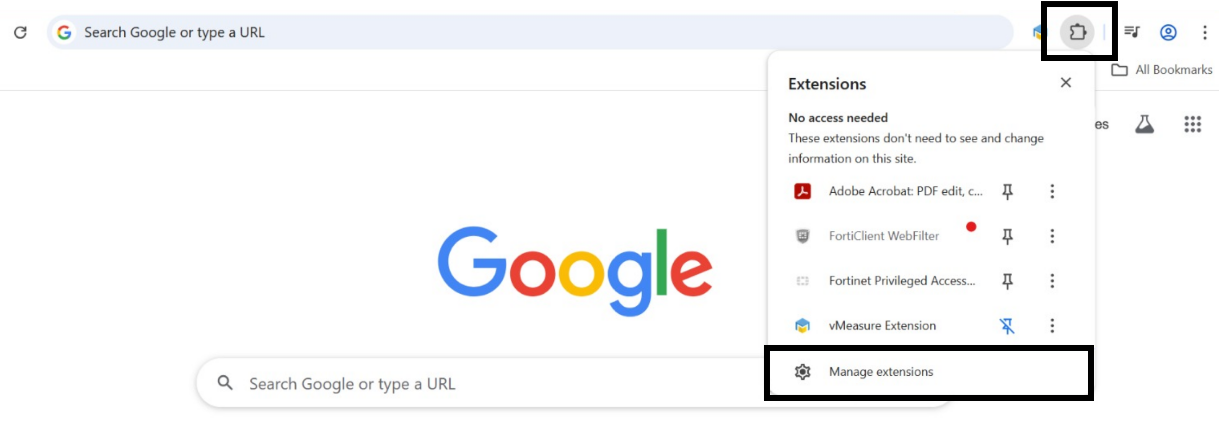
Step 1: Open your browser and click on the Extensions icon.
Step 2: Choose the Manage Extensions option.
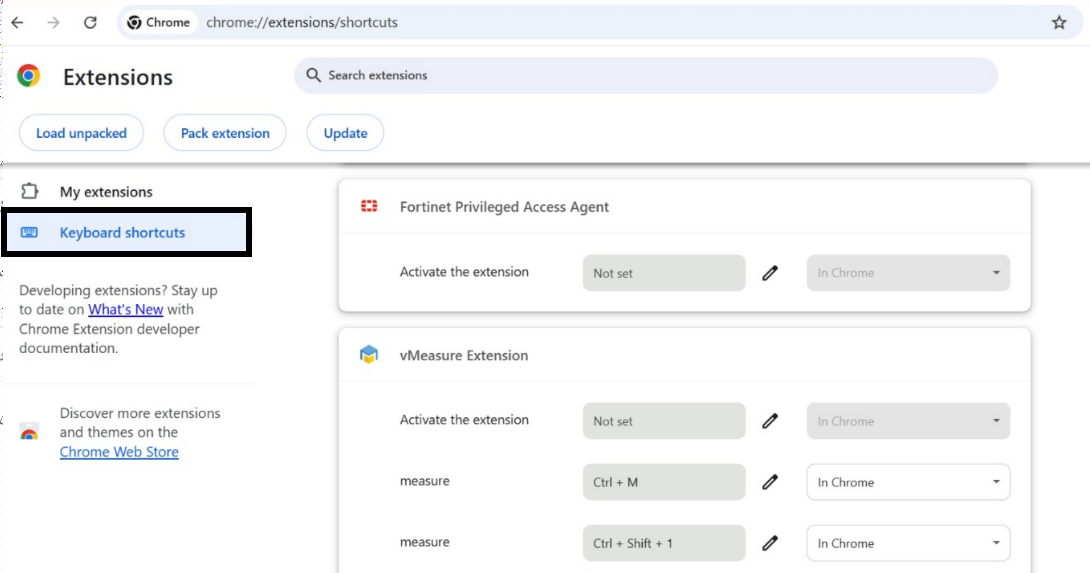
 Step 3: Navigate to the Keyboard Shortcuts section, where you can view and customize the shortcuts according to your preference.
If you still need any support, drop a mail to vmeasure@visailabs.com
Was this article helpful?
That’s Great!
Thank you for your feedback
Sorry! We couldn't be helpful
Thank you for your feedback
Feedback sent
We appreciate your effort and will try to fix the article